Ticketing or all-in-one event platform? It all starts with the participant journey

As an event approaches, one of the organizers’ first instincts is often to look for a ticketing solution. It makes sense: before thinking about check-in, badges, workshops, networking, or reports, participants must first be able to register.
But in the context of professional events, registration is not always limited to issuing a ticket. For a congress, conference, symposium, annual conference, or business event, it often becomes the starting point for a much more complete journey.
A participant does not simply purchase or obtain a ticket. They may need to choose workshops, access certain activities, receive targeted communications, appear in a participant list, use networking tools, obtain a badge, enter certain rooms, view restricted content, or be included in post-event reports.
This is precisely when the difference between a standalone ticketing tool and an all-in-one event platform becomes important.
The real question, then, is not simply: how will we manage registrations?
Instead, the real question becomes: which participant journeys must we be able to deliver?
It is important to clarify that a tool dedicated to ticketing can be perfectly suited to several types of events.
If the goal is to sell or distribute tickets, confirm participants, process a payment if needed, and validate admission to the event, a standalone ticketing solution can do the job very well. For a simple event where all participants essentially have the same experience, it is not always necessary to deploy a more complete platform.
The point, then, is not to say that one tool is better than another in every context. It is to choose the tool based on the event’s actual complexity.
An event where participants simply register and present their tickets at the entrance does not require the same infrastructure as a two-day congress with several types of participants, concurrent activities, limited-capacity workshops, partners to showcase, exhibitors, targeted communications, and differentiated access.
In the first case, ticketing is often sufficient. In the second, registration becomes a central source of data that must feed the rest of the event.
The tipping point comes when registration is no longer used only to confirm that someone will attend, but to determine what they will be able to see, do, receive, and use during the event.
For example, a regular participant may have access to all the main conferences, but not to a VIP activity. An exhibitor may have access to a digital showcase, lead collection tools, or certain networking time slots. A speaker may have a different badge, a specific schedule, and distinct access. A participant registered for only one day should not necessarily see the full program for the other days.
In this type of context, the ticket is no longer just proof of registration. It becomes an operational trigger.
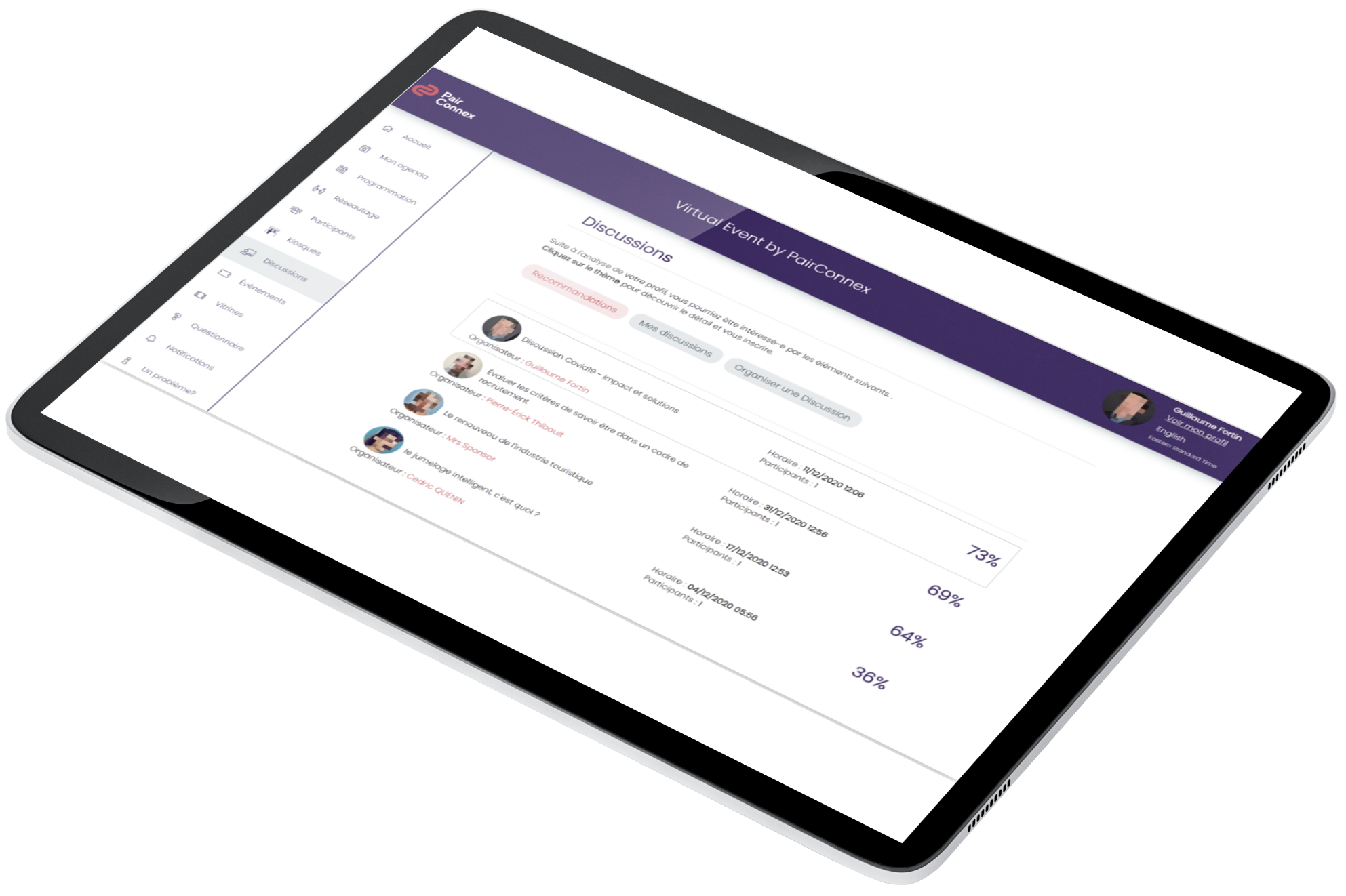
PairConnex, for example, brings together several modules that go beyond ticketing: registration, scheduling, networking, a mobile app, an admin console, badges, access control, communications, and reports. The platform presents these features as integrated tools for centralizing event management.
The fundamental difference between a standalone ticketing tool and an all-in-one event platform is not limited to the number of available features.
It lies above all in the connection between those features.
A standalone ticketing tool is mainly used to manage registration. An all-in-one event platform connects that registration to the rest of the participant journey.
In other words, registration becomes the event’s operational database.
In PairConnex, tickets can be customized with categories such as members, non-members, partners, or exhibitors, validity rules, quotas, and optional extras such as meals, workshops, or VIP cocktails. The platform also supports ticket assignment, reports, refunds, individual registration links, Excel imports, APIs, and webhooks.
This type of structure makes it possible to build a registration process that is not used only to collect a payment or confirm attendance. It allows the participant to be categorized from the outset, then carries that logic through the entire event.
This is an important distinction: simplicity does not necessarily come from a shorter or more limited ticketing process. It comes from a better-designed structure.
Too often, the ticketing structure is built around the following question: which tickets do we want to sell?
It is a useful question, but it should not be the first one.
For a more complex professional event, it is often more effective to begin with another question: what types of participants will we have, and how will their experiences differ?
A regular participant, member, non-member, exhibitor, partner, speaker, VIP guest, or volunteer does not necessarily experience the same event. They should therefore not always see the same information, receive the same communications, or access the same features.
Before configuring the ticketing, the organizer benefits from putting themselves in the shoes of each participant profile.
What should this person see in their schedule? Can they choose their workshops? Do they have access to networking? Should they be visible to other participants? Can they contact certain people? Do they have access to restricted content? Should they receive specific communications? Should their badge display a specific category? Should their access be validated at the entrance to certain rooms?
These questions may seem very operational, but they have a direct impact on the participant experience.
When they are considered from the outset, the registration structure becomes much clearer. Roles, groups, tickets, and permissions can then serve as the foundation for the entire configuration.
The result: fewer manual corrections, fewer exceptions to manage, fewer parallel lists, and less confusion during the event.
Consider a common example at congresses, conferences, and symposiums: workshop selections.
An event may offer several concurrent activities. The participant must choose the workshop they wish to attend. Some rooms have limited capacity. Certain workshops may be reserved for a ticket type, a specific group, or a particular role.
In this context, a simple registration list is no longer enough.
The organizer needs to know who selected what, which rooms are full, which participants can access which activities, and how to avoid scheduling conflicts. Participants need to clearly see the options relevant to their profiles without being shown activities that do not apply to them.
PairConnex allows organizers to create and manage activities, define the roles authorized to view them, and offer participants a dynamic schedule adjusted according to their role, registration, or permissions. The Activity Selection section also allows participants to register for sessions from their dashboard, with capacity management, restrictions, and scheduling conflicts taken into account.
This is a good example of the difference between selling a ticket and orchestrating a journey.
At a simple event, the ticket confirms attendance. At a more structured event, the ticket can shape the participant’s schedule, available choices, and access.
Networking is often seen as a feature added later in the event planning process. Yet at many professional events, it is part of the core value offered to participants.
It must therefore be considered from the registration structure onward.
Should all participants be visible in the participant list? Should certain profiles be able to contact others? Can exhibitors collect leads? Do partners receive special visibility? Should some participants be included in smart matchmaking while others are not?
These questions directly affect roles and permissions.
PairConnex makes it possible to configure profile visibility according to participant roles and permissions. The participant list can be filtered by role, company, compatibility, or field, and participants can save favorites. The platform also offers chat, appointment scheduling, QR code connections, and lead collection features, which are especially useful for exhibitors.
This is why networking should not be treated as an isolated element. It is part of the participant journey.
If the event promises quality connections, it is important to determine at registration who will be visible, who will be able to contact whom, and which interactions will be possible for each profile.
Some organizers choose to keep an existing ticketing tool, then periodically import registrations into an event platform to manage the app, badges, schedule, or on-site experience.
This approach can work in certain contexts. But it also creates a break in the data journey.
First, participants often have to complete their experience in two stages. They register or purchase their tickets in one tool, then later receive another communication asking them to create their profiles on the event platform.
The problem is that the organizer already had the participant’s attention at the time of registration. That was the right moment to collect the necessary information: profile, organization, role, preferences, workshop selections, networking interests, dietary restrictions, or data needed for the badge.
By asking for this information later, another step is added. And every additional step reduces the chances of obtaining a prompt and complete response.
Separate data can then complicate on-site operations.
If a registration is modified, cancelled, or refunded in one system but the information is not up to date in the tool used at check-in, the team may have to reconcile two sources of truth. A participant may arrive with an invoice or initial confirmation even though their actual status has since changed.
In the heat of the moment at event check-in, this type of situation creates friction: waiting, manual checks, stress for the team, and a less seamless experience for the participant.
On site, a check-in team should not have to search multiple systems to determine whether someone is actually registered, what they are entitled to, or which badge they should receive.
A common mistake is to think that ticketing is mainly useful before the event.
In reality, at a structured professional event, registration data continues to be used throughout the event.
It can be used to generate badges, validate room access, track attendance, assign training credits, personalize communications, or feed reports.
In PairConnex, the accreditation module is integrated with the registration system. As soon as a ticket is assigned, the badge can be generated automatically, and registrations, roles, categories, and tickets are synchronized to produce a consistent badge. Badges can also include a unique QR code linked to the participant’s profile, which can be used for networking, access control, participation statistics, or training credits.
The badge then becomes more than a simple printed card. It becomes an extension of the registration data.
The same logic applies to access control. PairConnex can validate access using the QR code on the badge or in the mobile app, and the system can immediately indicate whether access is authorized, denied, or already used. It can also automatically validate a participant’s right to enter a restricted room based on their registration.
This connection between registration, badge, and access reduces the risk of error. It also allows the on-site team to act quickly without having to consult paper lists or manually check multiple files.
For the participant, all of this logic should remain invisible.
They do not think in terms of roles, permissions, groups, or configurations. They simply want their experience to work.
They want to see the right activities. Choose the workshops they are eligible for. Receive the right communications. Find their schedule. Have the right badge. Access the right rooms. Network if the event offers it. View useful content. Quickly understand what they can do and where they need to go.
The quality of their experience therefore depends heavily on the quality of the structure designed in advance.
When an all-in-one event platform is configured properly, participants do not feel the event’s complexity. They simply see a clear, seamless experience adapted to their profiles.
This is where simplicity becomes strategic.
It does not mean removing options or diminishing the event. It means ensuring that each participant sees only what is relevant to them, at the right time and in the right context.
For the organizer, a well-designed registration structure reduces much of the manual work later in the project.
When profiles, roles, tickets, groups, and permissions are consistent from the outset, it becomes easier to configure:
It is not used only to confirm attendance. It structures operations before, during, and after the event.
This centralization also facilitates analysis. PairConnex indicates that its Reports section centralizes essential event data, including registrations, sales, activities, and networking interactions. The console also provides reports on participants, communications, activities, sales, and connections, with filters by date, role, group, or activity type.
For an event project manager, this visibility is valuable. It provides a better understanding of what happened, supports participant follow-ups, demonstrates the event’s value, and helps improve the next edition.
Ultimately, the right platform depends on the type of event being delivered.
For a simple event, a standalone ticketing tool may be sufficient. But when the event includes several profiles, activities, access levels, types of content, communications, badges, or networking opportunities, registration must be considered the starting point of the participant journey.
Before configuring the tickets, it therefore becomes essential to map out the journeys.
Who will be able to see what? Who will be able to do what? Who will be able to access which areas? Who will be able to network? Who will be visible? Who will receive which communications? Who will have access to which content? Who will need a particular badge? Who will need to be included in which reports?
By answering these questions from the outset, organizers can build a more coherent registration structure that is better aligned with their program and easier to operate.
Ticketing then becomes more than just a tool for launching registrations. It becomes the first step in a complete event experience.
And at a professional event, that is often where everything comes together.
The right question is not simply: how will we manage registrations?
The right question is instead: which participant journeys must we be able to deliver?
But in the context of professional events, registration is not always limited to issuing a ticket. For a congress, conference, symposium, annual conference, or business event, it often becomes the starting point for a much more complete journey.
A participant does not simply purchase or obtain a ticket. They may need to choose workshops, access certain activities, receive targeted communications, appear in a participant list, use networking tools, obtain a badge, enter certain rooms, view restricted content, or be included in post-event reports.
This is precisely when the difference between a standalone ticketing tool and an all-in-one event platform becomes important.
The real question, then, is not simply: how will we manage registrations?
Instead, the real question becomes: which participant journeys must we be able to deliver?
A standalone ticketing tool can be a very good fit for a simple need
It is important to clarify that a tool dedicated to ticketing can be perfectly suited to several types of events.
If the goal is to sell or distribute tickets, confirm participants, process a payment if needed, and validate admission to the event, a standalone ticketing solution can do the job very well. For a simple event where all participants essentially have the same experience, it is not always necessary to deploy a more complete platform.
The point, then, is not to say that one tool is better than another in every context. It is to choose the tool based on the event’s actual complexity.
An event where participants simply register and present their tickets at the entrance does not require the same infrastructure as a two-day congress with several types of participants, concurrent activities, limited-capacity workshops, partners to showcase, exhibitors, targeted communications, and differentiated access.
In the first case, ticketing is often sufficient. In the second, registration becomes a central source of data that must feed the rest of the event.
The tipping point: when registration determines more than attendance
The tipping point comes when registration is no longer used only to confirm that someone will attend, but to determine what they will be able to see, do, receive, and use during the event.
For example, a regular participant may have access to all the main conferences, but not to a VIP activity. An exhibitor may have access to a digital showcase, lead collection tools, or certain networking time slots. A speaker may have a different badge, a specific schedule, and distinct access. A participant registered for only one day should not necessarily see the full program for the other days.
In this type of context, the ticket is no longer just proof of registration. It becomes an operational trigger.
- the activities visible in the schedule;
- the available workshop selections;
- room capacities;
- access rights;
- the communications received;
- visibility in networking tools;
- the accessible content;
- the printed badge;
- the reports available to the organizer.
PairConnex, for example, brings together several modules that go beyond ticketing: registration, scheduling, networking, a mobile app, an admin console, badges, access control, communications, and reports. The platform presents these features as integrated tools for centralizing event management.
Managing tickets or orchestrating journeys
The fundamental difference between a standalone ticketing tool and an all-in-one event platform is not limited to the number of available features.
It lies above all in the connection between those features.
A standalone ticketing tool is mainly used to manage registration. An all-in-one event platform connects that registration to the rest of the participant journey.
In other words, registration becomes the event’s operational database.
In PairConnex, tickets can be customized with categories such as members, non-members, partners, or exhibitors, validity rules, quotas, and optional extras such as meals, workshops, or VIP cocktails. The platform also supports ticket assignment, reports, refunds, individual registration links, Excel imports, APIs, and webhooks.
This type of structure makes it possible to build a registration process that is not used only to collect a payment or confirm attendance. It allows the participant to be categorized from the outset, then carries that logic through the entire event.
This is an important distinction: simplicity does not necessarily come from a shorter or more limited ticketing process. It comes from a better-designed structure.
Before configuring tickets, understand the participant journeys
Too often, the ticketing structure is built around the following question: which tickets do we want to sell?
It is a useful question, but it should not be the first one.
For a more complex professional event, it is often more effective to begin with another question: what types of participants will we have, and how will their experiences differ?
A regular participant, member, non-member, exhibitor, partner, speaker, VIP guest, or volunteer does not necessarily experience the same event. They should therefore not always see the same information, receive the same communications, or access the same features.
Before configuring the ticketing, the organizer benefits from putting themselves in the shoes of each participant profile.
What should this person see in their schedule? Can they choose their workshops? Do they have access to networking? Should they be visible to other participants? Can they contact certain people? Do they have access to restricted content? Should they receive specific communications? Should their badge display a specific category? Should their access be validated at the entrance to certain rooms?
These questions may seem very operational, but they have a direct impact on the participant experience.
When they are considered from the outset, the registration structure becomes much clearer. Roles, groups, tickets, and permissions can then serve as the foundation for the entire configuration.
The result: fewer manual corrections, fewer exceptions to manage, fewer parallel lists, and less confusion during the event.
A concrete example: workshop selections and room capacities
Consider a common example at congresses, conferences, and symposiums: workshop selections.
An event may offer several concurrent activities. The participant must choose the workshop they wish to attend. Some rooms have limited capacity. Certain workshops may be reserved for a ticket type, a specific group, or a particular role.
In this context, a simple registration list is no longer enough.
The organizer needs to know who selected what, which rooms are full, which participants can access which activities, and how to avoid scheduling conflicts. Participants need to clearly see the options relevant to their profiles without being shown activities that do not apply to them.
PairConnex allows organizers to create and manage activities, define the roles authorized to view them, and offer participants a dynamic schedule adjusted according to their role, registration, or permissions. The Activity Selection section also allows participants to register for sessions from their dashboard, with capacity management, restrictions, and scheduling conflicts taken into account.
This is a good example of the difference between selling a ticket and orchestrating a journey.
At a simple event, the ticket confirms attendance. At a more structured event, the ticket can shape the participant’s schedule, available choices, and access.
Networking must also be considered at registration
Networking is often seen as a feature added later in the event planning process. Yet at many professional events, it is part of the core value offered to participants.
It must therefore be considered from the registration structure onward.
Should all participants be visible in the participant list? Should certain profiles be able to contact others? Can exhibitors collect leads? Do partners receive special visibility? Should some participants be included in smart matchmaking while others are not?
These questions directly affect roles and permissions.
PairConnex makes it possible to configure profile visibility according to participant roles and permissions. The participant list can be filtered by role, company, compatibility, or field, and participants can save favorites. The platform also offers chat, appointment scheduling, QR code connections, and lead collection features, which are especially useful for exhibitors.
This is why networking should not be treated as an isolated element. It is part of the participant journey.
If the event promises quality connections, it is important to determine at registration who will be visible, who will be able to contact whom, and which interactions will be possible for each profile.
When data is separated, operations become more fragile
Some organizers choose to keep an existing ticketing tool, then periodically import registrations into an event platform to manage the app, badges, schedule, or on-site experience.
This approach can work in certain contexts. But it also creates a break in the data journey.
First, participants often have to complete their experience in two stages. They register or purchase their tickets in one tool, then later receive another communication asking them to create their profiles on the event platform.
The problem is that the organizer already had the participant’s attention at the time of registration. That was the right moment to collect the necessary information: profile, organization, role, preferences, workshop selections, networking interests, dietary restrictions, or data needed for the badge.
By asking for this information later, another step is added. And every additional step reduces the chances of obtaining a prompt and complete response.
Separate data can then complicate on-site operations.
If a registration is modified, cancelled, or refunded in one system but the information is not up to date in the tool used at check-in, the team may have to reconcile two sources of truth. A participant may arrive with an invoice or initial confirmation even though their actual status has since changed.
In the heat of the moment at event check-in, this type of situation creates friction: waiting, manual checks, stress for the team, and a less seamless experience for the participant.
On site, a check-in team should not have to search multiple systems to determine whether someone is actually registered, what they are entitled to, or which badge they should receive.
During the event, registration continues to play a role
A common mistake is to think that ticketing is mainly useful before the event.
In reality, at a structured professional event, registration data continues to be used throughout the event.
It can be used to generate badges, validate room access, track attendance, assign training credits, personalize communications, or feed reports.
In PairConnex, the accreditation module is integrated with the registration system. As soon as a ticket is assigned, the badge can be generated automatically, and registrations, roles, categories, and tickets are synchronized to produce a consistent badge. Badges can also include a unique QR code linked to the participant’s profile, which can be used for networking, access control, participation statistics, or training credits.
The badge then becomes more than a simple printed card. It becomes an extension of the registration data.
The same logic applies to access control. PairConnex can validate access using the QR code on the badge or in the mobile app, and the system can immediately indicate whether access is authorized, denied, or already used. It can also automatically validate a participant’s right to enter a restricted room based on their registration.
This connection between registration, badge, and access reduces the risk of error. It also allows the on-site team to act quickly without having to consult paper lists or manually check multiple files.
What the participant gains: a consistent experience
For the participant, all of this logic should remain invisible.
They do not think in terms of roles, permissions, groups, or configurations. They simply want their experience to work.
They want to see the right activities. Choose the workshops they are eligible for. Receive the right communications. Find their schedule. Have the right badge. Access the right rooms. Network if the event offers it. View useful content. Quickly understand what they can do and where they need to go.
The quality of their experience therefore depends heavily on the quality of the structure designed in advance.
When an all-in-one event platform is configured properly, participants do not feel the event’s complexity. They simply see a clear, seamless experience adapted to their profiles.
This is where simplicity becomes strategic.
It does not mean removing options or diminishing the event. It means ensuring that each participant sees only what is relevant to them, at the right time and in the right context.
What the organizer gains: less manual work and more control
For the organizer, a well-designed registration structure reduces much of the manual work later in the project.
When profiles, roles, tickets, groups, and permissions are consistent from the outset, it becomes easier to configure:
- who can see which activities;
- who can choose which workshops;
- who can access which rooms;
- who receives which communications;
- who can network;
- who is visible in the participant list;
- who receives which badge;
- who is included in which reports.
It is not used only to confirm attendance. It structures operations before, during, and after the event.
This centralization also facilitates analysis. PairConnex indicates that its Reports section centralizes essential event data, including registrations, sales, activities, and networking interactions. The console also provides reports on participants, communications, activities, sales, and connections, with filters by date, role, group, or activity type.
For an event project manager, this visibility is valuable. It provides a better understanding of what happened, supports participant follow-ups, demonstrates the event’s value, and helps improve the next edition.
Before choosing a ticketing solution, map out the journey
Ultimately, the right platform depends on the type of event being delivered.
For a simple event, a standalone ticketing tool may be sufficient. But when the event includes several profiles, activities, access levels, types of content, communications, badges, or networking opportunities, registration must be considered the starting point of the participant journey.
Before configuring the tickets, it therefore becomes essential to map out the journeys.
Who will be able to see what? Who will be able to do what? Who will be able to access which areas? Who will be able to network? Who will be visible? Who will receive which communications? Who will have access to which content? Who will need a particular badge? Who will need to be included in which reports?
By answering these questions from the outset, organizers can build a more coherent registration structure that is better aligned with their program and easier to operate.
Ticketing then becomes more than just a tool for launching registrations. It becomes the first step in a complete event experience.
And at a professional event, that is often where everything comes together.
The right question is not simply: how will we manage registrations?
The right question is instead: which participant journeys must we be able to deliver?